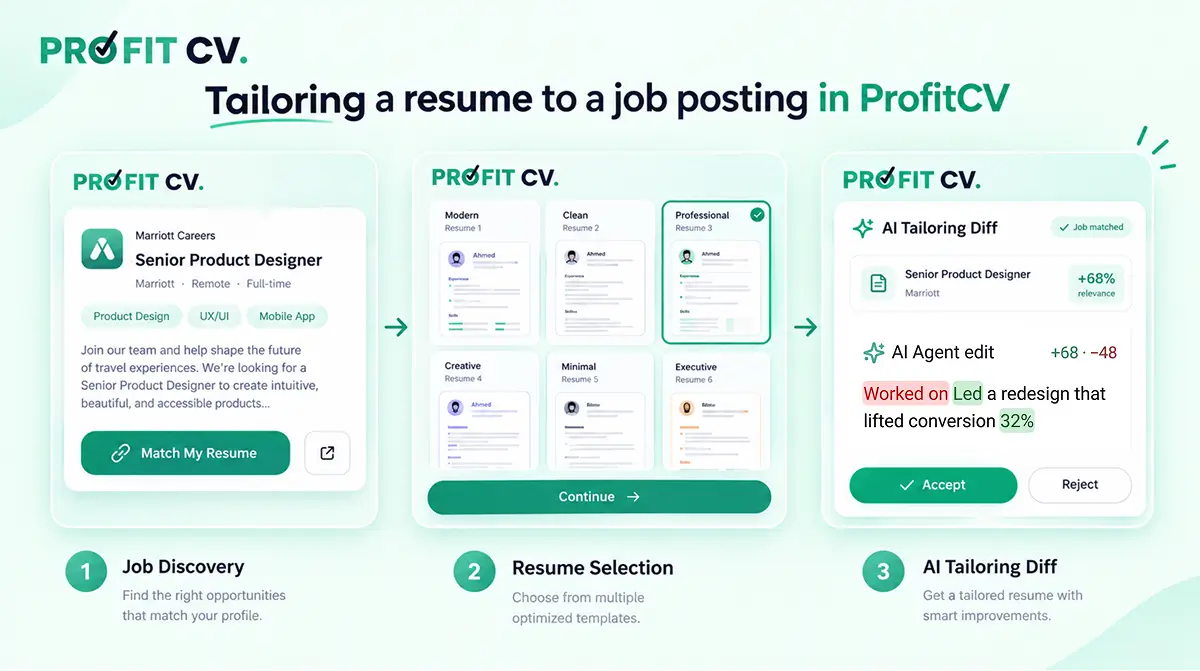
Short answer: to tailor your resume to a job posting, rewrite your existing experience so it uses the skills and keywords the posting asks for, without inventing anything you didn't do. In ProFitCV you can do this in one place: find the job in the Jobs tab, click Match My Resume, pick a resume, then click Match job on any work experience. The AI rewrites that entry around the posting, shows every change as a before/after comparison, and you choose to Accept, Reject or Regenerate.
This guide walks through each step, explains why tailoring matters, and covers what to check before you accept an AI rewrite.
Why should you tailor your resume to each job?#
Most companies filter applications with an applicant tracking system (ATS) before a person reads them. The ATS compares your resume with the job description, so a resume that describes the same experience in different words can rank lower than it deserves. Recruiters who do read it spend only a short time on the first pass, and they look for the requirements they listed.
Tailoring fixes both problems: your real experience, described in the posting's own language. If you're new to ATS software, read Understanding ATS Systems first.
The usual way of tailoring is slow:
- Find a job on one site.
- Copy the description into a notes app.
- Compare it line by line with your resume to spot missing keywords.
- Rewrite your bullets in a separate editor.
- Repeat for every application.
ProFitCV connects these steps so the job description follows you from the search to the editor.
How to tailor your resume to a job with ProFitCV (step by step)#
Step 1: Find the job in the Jobs tab#
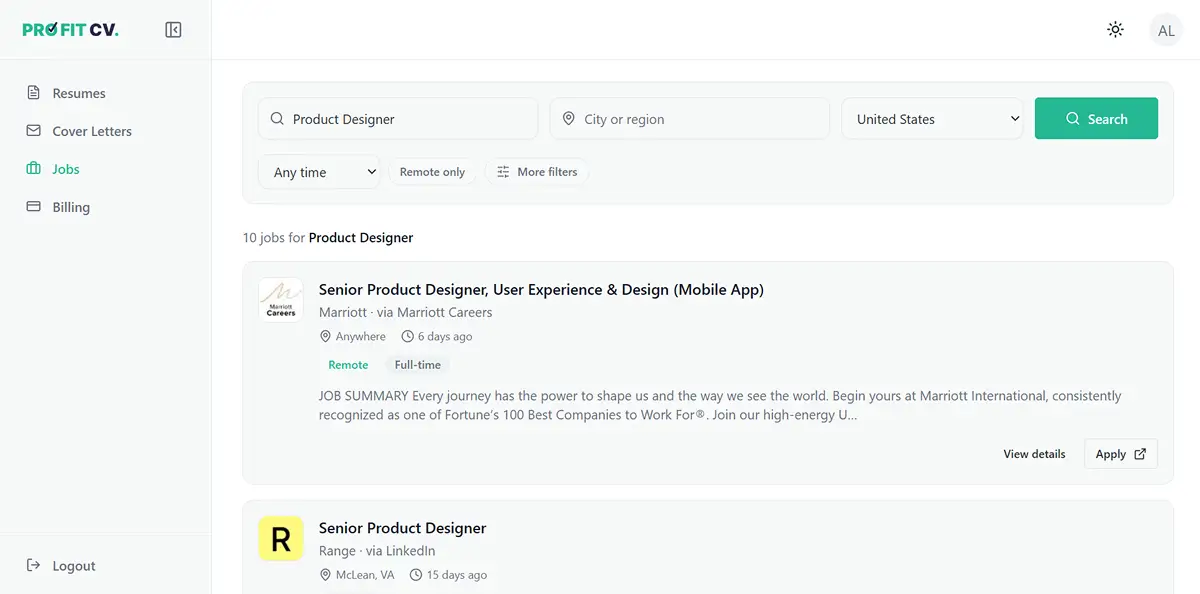
Open Jobs from the ProFitCV sidebar (next to Resumes and Cover Letters). Search by job title and location, and filter by date posted or remote-only roles.
ProFitCV searches openings aggregated from job boards such as LinkedIn, Indeed and Glassdoor, so you don't have to search each site separately. Each result card shows the company, location, whether the role is remote, how long ago it was posted, and a short summary.
Step 2: Open the job and click "Match My Resume"#
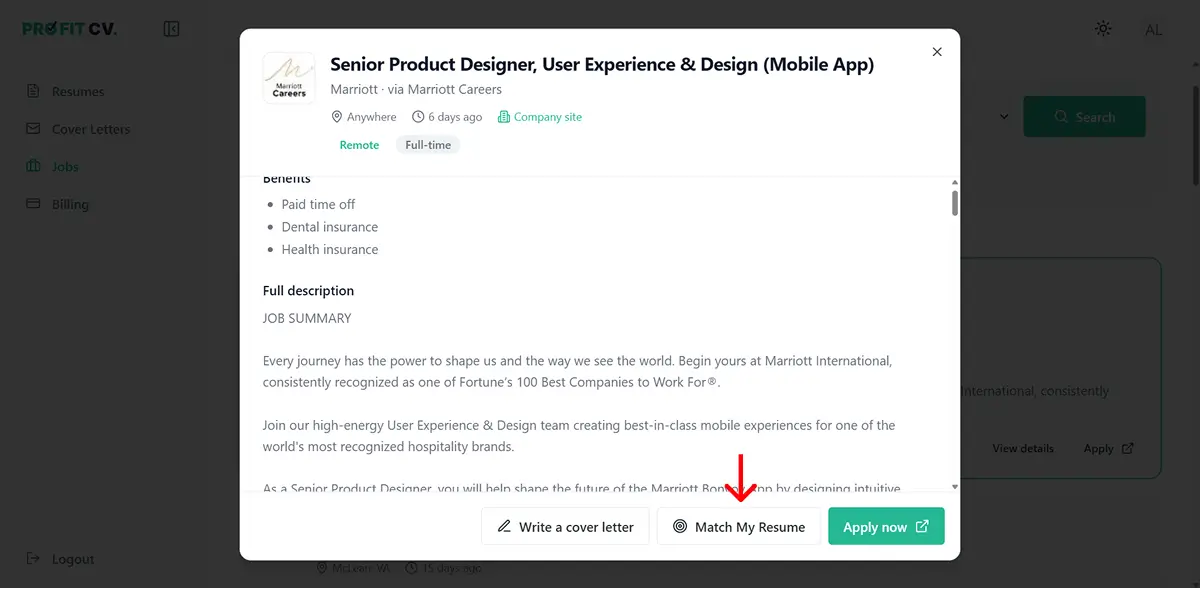
Click a job card to open the full description in a panel, without leaving your search results. Besides Apply now, which takes you to the original posting, you'll see two buttons:
- Write a cover letter: drafts a cover letter for this specific job.
- Match My Resume: tailors one of your resumes to this job.
Click Match My Resume, then choose the resume you want to start from. A banner reminds you which role you're matching against (for example, Senior Product Designer at Marriott), so you always know which job is driving the changes.
Step 3: Let the editor guide you to the right section#
Your resume opens in the ProFitCV editor: sections on the left (personal info, work experience, education and so on), a live print-ready preview on the right. The job description stays pinned at the top of the editing panel, and it's what the AI tailors your resume against.
A short guided tour shows you where to go:
- A message confirms the job description was added.
- A pointer shows the edit icon on a work experience entry. Open the role you want to tailor.
- Inside that entry, a tooltip highlights the Match job button.
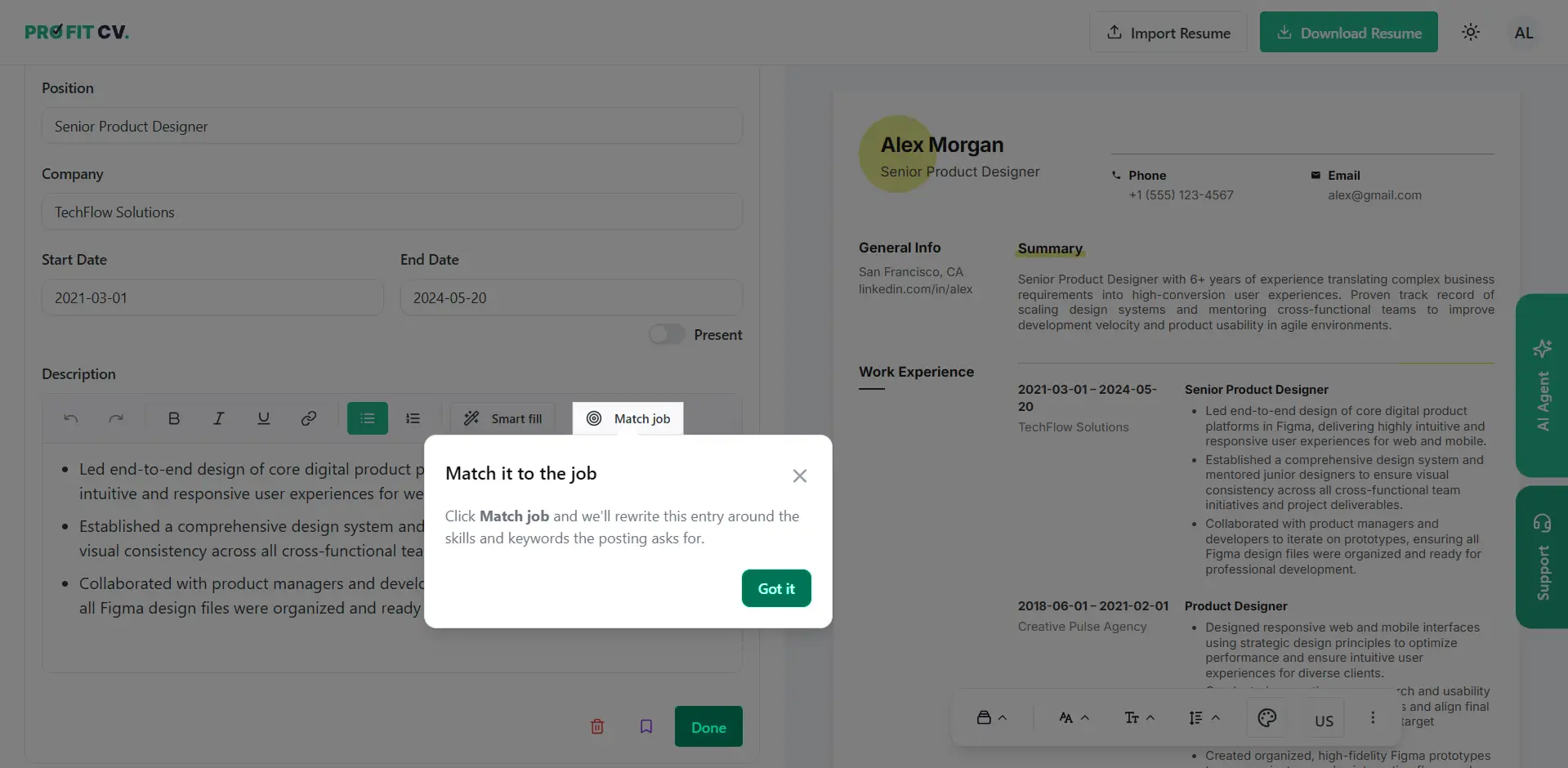
Step 4: Click "Match job" on a work experience#
Match job rewrites that entry's description around the skills and keywords the posting asks for. It works one entry at a time, so you stay in control of each role on your resume. Tailor your most recent and most relevant roles first. They carry the most weight with both the ATS and the recruiter.
Step 5: Review the changes, then Accept, Reject or Regenerate#
ProFitCV never replaces your text silently. It shows the rewrite as a before/after comparison:
- Added text is highlighted in green.
- Removed text is struck through.
- A counter at the top shows how much changed (for example, +92 / −90), so you can tell at a glance whether it was a light edit or a full rewrite.
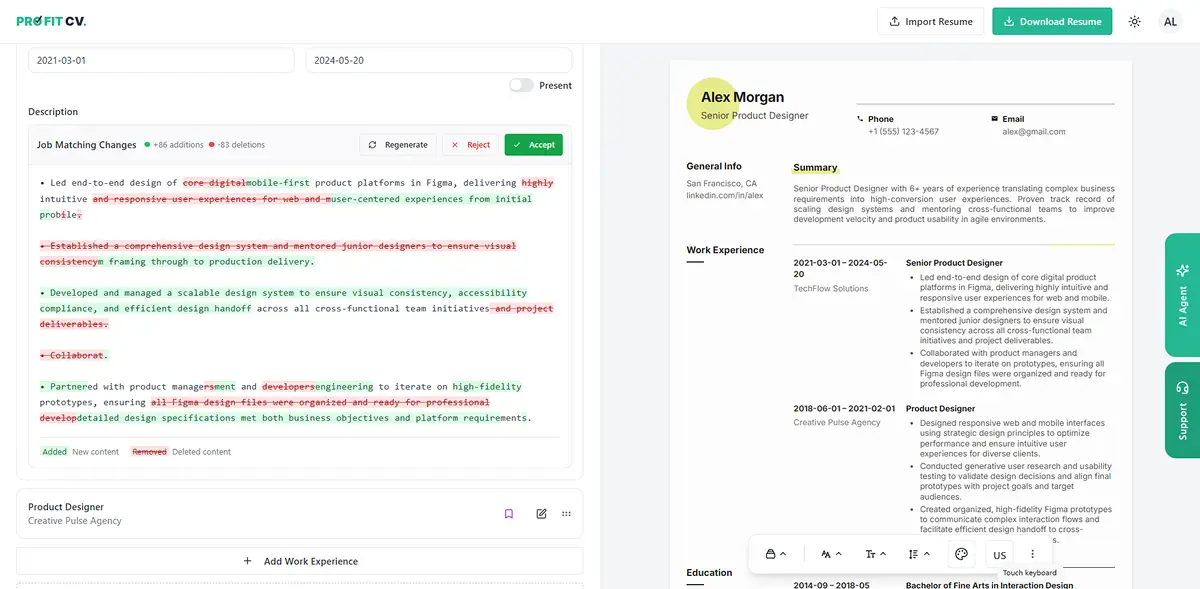
Then you decide:
| Button | What it does | Use it when |
|---|---|---|
| Accept | Saves the tailored version to your resume | The rewrite is accurate and reads like you |
| Reject | Discards it and keeps your original text | The changes overstate or misrepresent your work |
| Regenerate | Produces a new version | The content is right but the tone or phrasing isn't |
What to check before you accept an AI rewrite#
AI tailoring is fast, but the resume still has your name on it. Before clicking Accept, check that:
- Every claim is true. The rewrite should reword your experience, not add tools, results or responsibilities you didn't have. Recruiters check in interviews.
- Your numbers survived. Figures like "cut onboarding time by 30%" are some of the strongest lines on a resume. Make sure none were dropped.
- The keywords are ones you can back up. If the posting asks for a skill you really used, it should now appear in your words. If you never used it, leave it out.
- It still sounds like you. If a bullet reads like marketing copy, use Regenerate or edit it by hand.
Manual tailoring vs. ProFitCV#
| Doing it by hand | With ProFitCV | |
|---|---|---|
| Finding the job | Separate job board tab | Built-in Jobs search |
| Getting the job description into your resume | Copy and paste | Carried over automatically by Match My Resume |
| Spotting missing keywords | Read both documents side by side | Match job rewrites the entry around the posting |
| Checking what changed | Compare versions yourself | Before/after view with a change counter |
| Undoing a bad rewrite | Hope you kept a copy | Reject restores the original |
| Cover letter for the same job | Start from scratch | Write a cover letter from the same job |
Frequently asked questions#
Is ProFitCV free to use for tailoring a resume?#
Yes. Building resumes with ProFitCV is free, including every template, and AI features like Match job run on a free AI allowance included with your account.
Which job sites does ProFitCV search?#
ProFitCV's Jobs search shows openings aggregated from major job boards, including LinkedIn, Indeed and Glassdoor. Apply now always takes you to the original posting to submit your application.
Does the AI invent experience I don't have?#
It's instructed to rephrase your existing experience around the job's requirements. Always review the before/after comparison and Reject anything that isn't accurate. You have the final say on every change.
Should I make a new resume for every job?#
Keep one strong base resume and tailor a copy for each important application. Focus on your summary and your two or three most relevant roles. That's where tailoring makes the biggest difference.
Can I tailor a resume to a job I found somewhere else?#
Yes. ProFitCV's editor can also match against a job description you paste in yourself, so you can tailor for postings from any site.
Will a tailored resume pass the ATS?#
Tailoring improves your chances because it aligns your wording with what the ATS is looking for, but the layout matters too. Use an ATS-friendly template with standard section headings, and read Understanding ATS Systems for the rest.
Try it#
Pick a job you actually want, open it in the ProFitCV Jobs tab, and click Match My Resume. Tailoring one role takes a couple of minutes, and you review every change before it's saved. Start with the free resume builder.